Go to site MyLiveSignature.com
Click "Start Now "

Front next click the "Create Signature"

Front next click the "using the signature creation wizard"
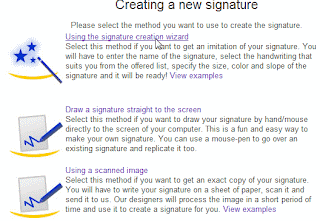
Front next click the "Enter your Name"

Front next click the "Select Font"

Front next click the "select Size"

Front next click the "Select the background colour"

Front next click the "the Slope"

Next "select want use this signature?"

Next page in the generating signature code select Generate HTML code:

Next page select "generating a code for my handwritten signature"

Done..
"Signature preview" and copy paste HTML CODE your signature to your Blog .

GOOD LUCK...
Click "Start Now "

Front next click the "Create Signature"

Front next click the "using the signature creation wizard"

Front next click the "Enter your Name"


Front next click the "Select the background colour"


Next page select "generating a code for my handwritten signature"

"Signature preview" and copy paste HTML CODE your signature to your Blog .

Subscribe to:
Posts (Atom)


